
Clearance Groups and Levels
2 min
NB You can create your security classification or utilise Essential’s pre-defined General Security classification levels.
The General Security classification levels are –
- Management – This is a low-security classification
- Partial View – This is a medium low-security classification
- Executives – This is a medium-high security classification
- Unrestricted View – This is a high-security classification
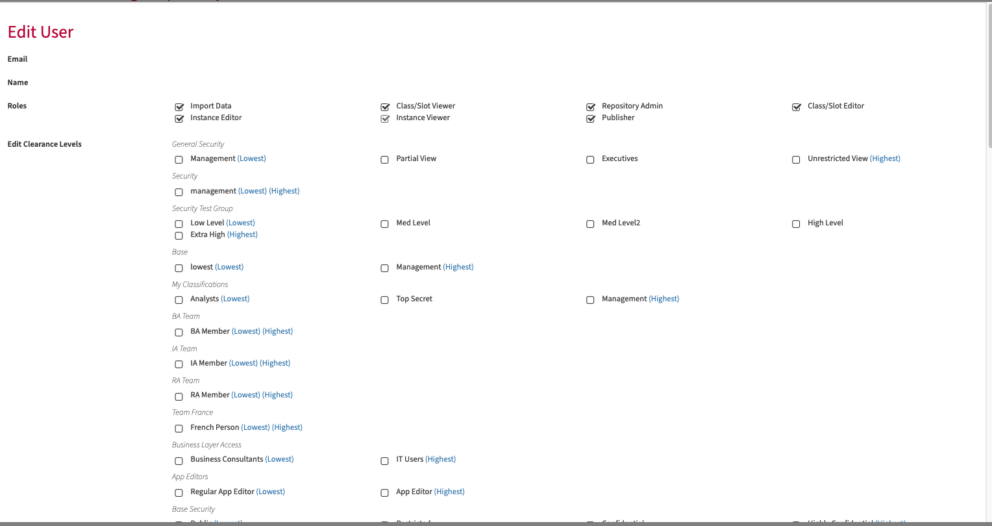
Once you have created a Clearance Group and Level, you must assign it to a user (for example, yourself) before it can be assigned to repository content. Once security is assigned to content, it takes effect immediately in Editors, REST APIs and the Data Management application. You must perform a Publish before you see the effect of the security in Views and Data Set APIs.
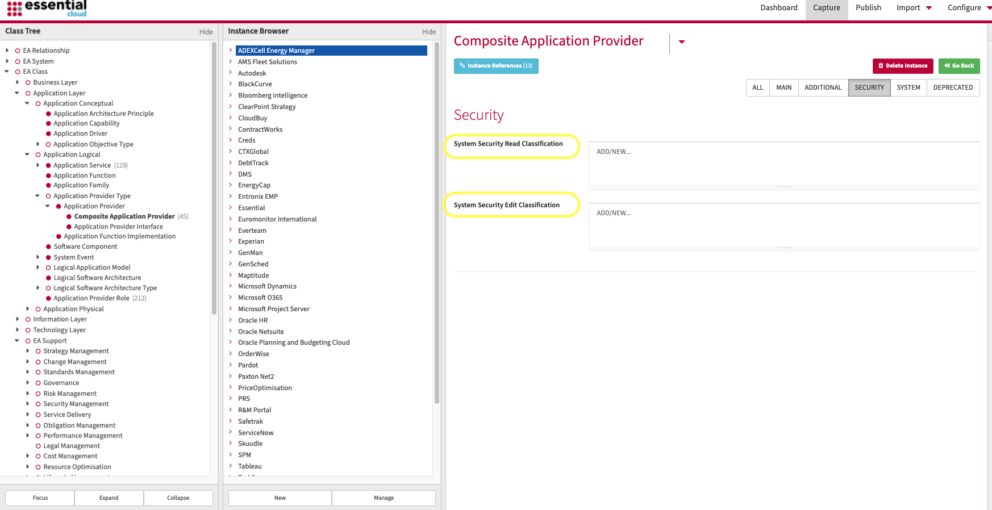
Applying security classification to an instance
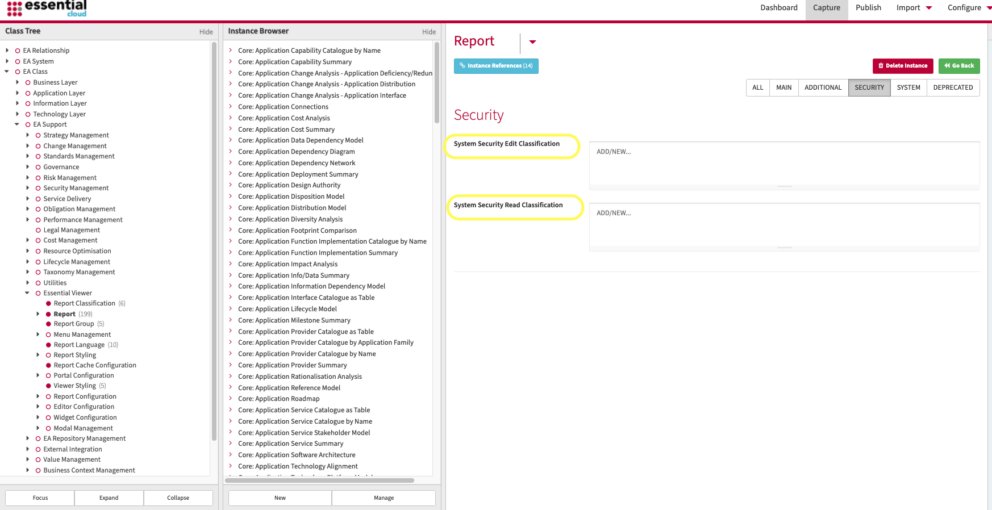
Applying security classification to a View
How to classify specific Views and other elements of the repository, such as portals, or applications.
Updated 4 June 2026